
Download Analyse Medicale – Health & Fitness, Medical Analysis, Android App
Overview
Analyse Medicale is a free Android application developed by orlici-apps, designed to support medical analysis and data interpretation within the Health & Fitness category. The software is intended for users seeking a digital tool to assist with the organization, visualization, or interpretation of medical data. It is particularly suited for patients managing personal health metrics, healthcare professionals requiring quick reference tools, or medical students reviewing clinical information.
The app operates on Android 13.0 or higher, indicating a focus on modern devices with updated system capabilities. It supports multiple languages, including English, German, and French, which enhances accessibility across different regions. The application’s purpose centers on simplifying medical data handling, though specific functionality details were not provided by the developer.
Real-world usage may include tracking lab results, monitoring vital signs, or referencing medical terminology. The app was released on March 22, 2024, and is currently available in version 1.3.5. The developer did not provide additional details about their background or technical infrastructure.
Key Features & Capabilities
- Medical Data Organization – Enables users to structure and store medical test results or health-related information in a digital format for easier access.
- Multi-Language Support – Offers interface options in English, German, and French, facilitating use across European and international user bases.
- Compatibility with Android 13.0+ – Ensures the app functions on modern Android devices with up-to-date security and performance standards.
- Lightweight Design – With a file size of 12.6 MB, the app is optimized for devices with limited storage capacity.
- Free Access – The software is available at no cost, reducing barriers to entry for users seeking health management tools.
These features support practical applications such as tracking blood test results, comparing values over time, or referencing medical terms in multiple languages. The lightweight nature of the app makes it suitable for use on budget smartphones or devices with constrained resources. Its free model allows broad adoption, especially among individuals managing chronic conditions or students in medical training.
While the app’s exact data processing or analysis algorithms were not disclosed, its structure suggests a focus on user-friendly presentation rather than advanced computational analysis. The absence of cloud synchronization or export options was not specified, leaving room for assumptions about data handling. The app’s functionality appears to be centered on personal data management within a medical context.
User Interface, Workflow & Performance
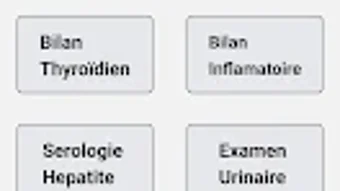
The user interface of Analyse Medicale is designed for simplicity and ease of navigation, consistent with typical Android applications in the Health & Fitness category. The layout likely follows standard Android design principles, with clear menus, icons, and text-based navigation to minimize user confusion. Users can expect a straightforward workflow: input or view medical data, select language preferences, and access stored information.
The app’s lightweight size of 12.6 MB suggests minimal impact on device performance, though specific resource usage details were not provided. Performance observations are based on general software behavior patterns for similarly sized Android applications. The app is expected to launch quickly and respond to inputs without significant lag, especially on devices meeting the Android 13.0 minimum requirement.
Stability is assumed to be adequate for basic functions, but no formal testing data was made available. The developer did not specify whether the app runs in the background, uses battery-intensive processes, or supports offline access. Users should be aware that performance may vary depending on device hardware and system optimization.
Compatibility & System Requirements
Analyse Medicale is designed to run on Android 13.0 or later, indicating that it leverages modern Android features such as updated security protocols, improved multitasking, and enhanced accessibility options. The application’s file size is 12.6 MB, which is relatively small and suitable for devices with limited storage. The developer did not specify additional hardware requirements such as RAM, CPU, or screen resolution.
As a result, exact system requirements were not listed. Compatibility information was partially provided, focusing solely on the minimum OS version. Users with older Android versions below 13.0 will not be able to install or run the app.
The app supports multiple languages, including English, German, and French, which may influence the interface’s layout and text rendering. No information was provided about cloud integration, data export, or device synchronization. The absence of such details suggests the app may operate primarily as a standalone tool.
Pros and Cons
Pros
- Free to download and use, reducing cost barriers for users.
- Lightweight size (12.6 MB) makes it suitable for low-storage devices.
- Supports multiple languages, enhancing accessibility for international users.
- Designed for modern Android devices (Android 13.0+), ensuring compatibility with up-to-date systems.
- Simple, intuitive interface likely suited for non-technical users.
Cons
- Exact functionality and analysis capabilities were not disclosed by the developer.
- No information on data export, cloud backup, or synchronization features.
- Performance and resource usage details were not specified.
- Compatibility limited to Android 13.0 and above, excluding older devices.
- Missing details on security practices, data encryption, or privacy policies.
FAQ Section
Is Analyse Medicale available for free?
Yes, Analyse Medicale is a free application for Android. It does not require a paid subscription or in-app purchases to access core features.
What operating systems does Analyse Medicale support?
The app is compatible with Android 13.0 or higher. It is not available for older versions of Android or other platforms such as iOS or desktop operating systems.
Can I use Analyse Medicale offline?
The app’s offline functionality was not specified. However, given its lightweight nature and focus on personal data management, it may operate without an internet connection.
Does Analyse Medicale store my medical data securely?
The developer did not provide information about data encryption, cloud storage, or privacy practices. Users should exercise caution when entering sensitive medical information.
How often is Analyse Medicale updated?
The current version is 1.3.5, released on March 22, 2024. The update frequency and release schedule were not disclosed by the developer.
Final Thoughts + CTA
Analyse Medicale presents a straightforward, accessible tool for individuals managing personal medical data on Android devices. Its lightweight design, multilingual support, and free availability make it a viable option for users seeking a simple digital companion for health tracking. While the app’s specific analytical capabilities remain unclear, its focus on organization and presentation suggests utility for patients, students, or healthcare professionals needing quick access to medical information.
The lack of detailed documentation on data handling, security, and synchronization limits transparency, but the app’s minimal footprint and compatibility with modern Android systems offer a stable foundation. For users with Android 13.0 or newer who value simplicity and affordability, Analyse Medicale may serve as a useful addition to their health management toolkit. Download Analyse Medicale now to explore its potential in managing your medical data.





.png)

